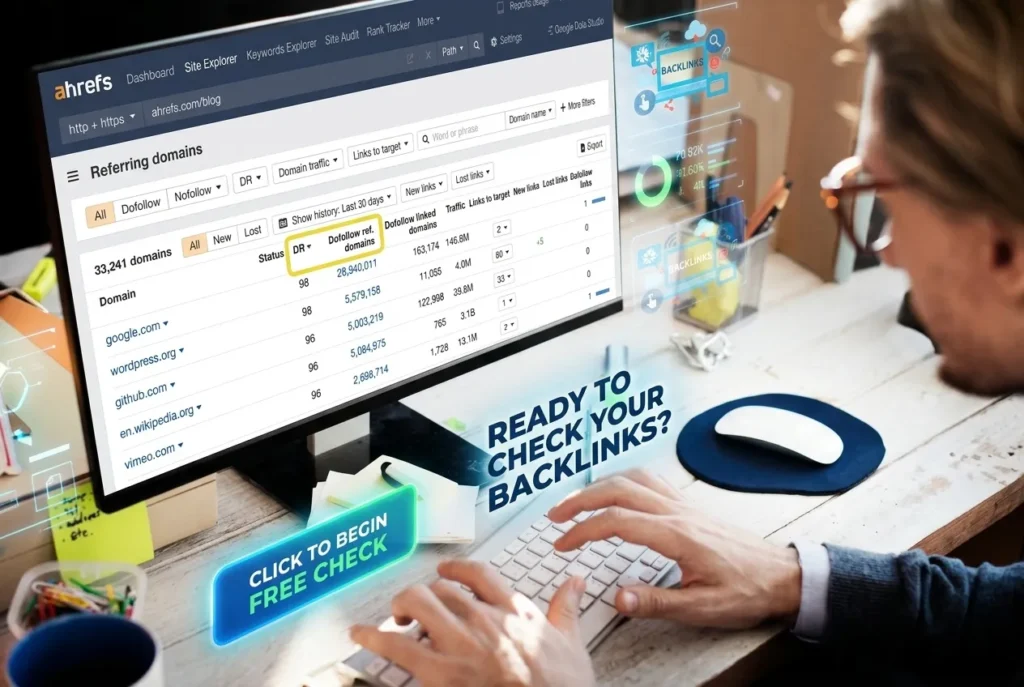
The Ahrefs Backlink Checker is a free tool that shows the backlink profile of any website or page, including total backlinks, referring domains, Domain Rating (DR) and top anchor text. It works without a paid subscription, though a free Ahrefs account is now needed to see full results, and it is widely regarded as one of the most accurate backlink databases in SEO because it refreshes every 15 to 30 minutes.
If you have ever typed a competitor’s domain into a search box and wondered who is linking to them, you have probably landed on the Ahrefs Backlink Checker. It is one of the most used free SEO tools on the internet, and it is often the first stop before anyone commits to a paid SEO platform.
This guide explains exactly what the tool shows, how to read the numbers, how it compares with the full paid version of Ahrefs, and how to use it properly for competitor research, link building and SEO audits. We also cover the free alternatives worth knowing, so you can decide what actually fits your budget.
What Is the Ahrefs Backlink Checker?
The Ahrefs Backlink Checker is a free web-based tool from Ahrefs, one of the most established SEO software companies. You type in any domain, subdomain or exact URL, and the tool returns a snapshot of the backlinks pointing to it, drawn from Ahrefs’ own crawler, AhrefsBot.
A backlink, sometimes called an inbound link, is any link from one website to another. Search engines treat backlinks as a signal of trust and authority. A page with many relevant, high-quality backlinks tends to rank better than a similar page with few or low-quality links. You can read Google’s own explanation of how links factor into ranking in its How Search Works guide.
Because backlinks matter so much, SEO professionals constantly check who links to their own site and who links to their competitors. The Ahrefs Backlink Checker became popular because it offers a genuine, no-cost way to do a first pass of that research. For a plain-language primer on why links became such a core ranking signal in the first place, Search Engine Journal’s guide to backlinks and Backlinko’s link building guide are both worth a read.
What the Free Ahrefs Backlink Checker Shows You
When you run a domain or URL through the free tool, you typically see:
- Total backlinks – the overall number of links pointing to the domain or page.
- Referring domains – the number of unique websites linking in, which usually matters more than raw backlink count.
- Domain Rating (DR) – Ahrefs’ 0 to 100 score for overall backlink strength.
- URL Rating (UR) – the backlink strength of the specific page you searched.
- Top backlinks – a capped list, typically up to the top 100, usually sorted by the strength of the referring page.
- Top anchor text – the most common clickable text used in links pointing to the page.
- Dofollow vs nofollow split – a breakdown of which links pass SEO value and which do not.
The free version is a sample, not the full picture. It is enough to judge a site’s general authority and see a handful of its best links, but it will not show you every single backlink, which is what the paid Ahrefs Site Explorer is for.
How to Use the Ahrefs Backlink Checker Step by Step
Using the tool takes less than a minute. Here is the simple process.
Step 1: Go to the Ahrefs Backlink Checker. Visit the official Ahrefs Backlink Checker page.
Step 2: Enter a domain or URL. You can check a whole domain (like example.com) to see its overall profile, or a single page (like example.com/blog-post) to see links to that page only.
Step 3: Choose your match mode. Most backlink checkers let you pick “exact URL,” “domain,” or “subdomain.” Pick domain-level if you want the big picture, or exact URL if you are researching one specific page or article.
Step 4: Review the summary metrics. Look at Domain Rating, total backlinks and referring domains first. These three numbers give you a fast read on authority.
Step 5: Scan the top backlinks list. Note which sites are linking in, whether the links look relevant to the topic, and whether they are dofollow or nofollow.
Step 6: Sign in for fuller results. As of 2026, Ahrefs asks for a free account login to unlock complete results in the free checker. Creating an account costs nothing and only takes a minute.
Step 7: Export or save what you need. The free tool has limited export options. If you need a downloadable report regularly, that is one of the clearest signs you are ready for a paid plan.
Understanding Domain Rating (DR) and URL Rating (UR)
These two metrics confuse a lot of beginners, so it is worth explaining them clearly.
Domain Rating (DR) is a logarithmic score from 0 to 100 that reflects the strength of a website’s entire backlink profile compared with every other site in the Ahrefs index. A jump from DR 70 to DR 80 represents a much bigger increase in backlink strength than a jump from DR 20 to DR 30, because the scale is not linear.
URL Rating (UR) works the same way but applies to a single page rather than the whole domain. A homepage often has a different UR than an individual blog post, because each page accumulates its own direct backlinks.
Neither DR nor UR is a Google ranking factor. Google has never confirmed using Ahrefs’ metrics, and John Mueller and other Google representatives have repeatedly said on Google’s Search Central blog that third-party authority scores are not part of its ranking systems. DR and UR are useful as a relative comparison tool, not as proof of how a page will actually rank. Treat them as a compass, not a guarantee.
For a deeper technical breakdown of how backlink authority metrics are calculated across the industry, Moz’s explanation of Domain Authority is a useful comparison point, since Moz uses a similar but separately calculated scoring system.
Free Ahrefs Backlink Checker vs Paid Ahrefs Site Explorer
The free Backlink Checker is a trimmed-down preview of what the paid tool, Site Explorer, can do. Here is how they compare.
| Feature | Free Backlink Checker | Paid Site Explorer |
|---|---|---|
| Backlinks shown | Capped sample (up to ~100) | Full backlink profile |
| Historical data | Limited or none | Full history, often back to 2016 |
| CSV / report export | Limited or unavailable | Full export |
| Competitor gap analysis | No | Yes |
| New & lost backlink tracking | No | Yes |
| Anchor text report | Top anchors only | Full anchor text breakdown |
| Content and keyword tools | No | Yes, bundled in paid plans |
| Best for | Quick checks, first-pass research | Ongoing SEO, agencies, link building campaigns |
If you only need to glance at a competitor’s authority once in a while, the free checker is enough. If you manage SEO for a living, track your own backlink growth weekly, or run outreach campaigns, the paid plan pays for itself quickly.
Ahrefs Webmaster Tools: The Other Free Option
Many people do not realise Ahrefs offers a second free product aimed specifically at site owners: Ahrefs Webmaster Tools (AWT). After verifying ownership of your own website, AWT gives you a much fuller view of your own backlink profile, a basic site audit tool and some keyword data, all for free.
The catch is that AWT only works for sites you can verify ownership of. It is not a way to research competitors for free beyond what the public Backlink Checker already shows.
If you run everytoolfy.com or any other site you own, verifying it in Ahrefs Webmaster Tools is one of the best free SEO moves available, alongside setting up Google Search Console and Bing Webmaster Tools, both of which are also free and show how search engines see your site.
How Accurate Is Ahrefs’ Backlink Data?
No backlink checker sees the entire web. Every tool, including Ahrefs, Semrush, Moz and Majestic, crawls the internet independently and builds its own index. That means the same domain checked across different tools will return different backlink counts, sometimes by a wide margin.
Ahrefs is generally considered to have one of the largest and most frequently refreshed indexes in the industry, with new data appearing roughly every 15 to 30 minutes according to the company. That speed matters for time-sensitive work, like checking whether a disavow or outreach campaign has taken effect, or spotting a sudden spike in spammy links.
Still, treat any backlink tool’s numbers as an estimate, not an absolute truth. For your own site, the most authoritative source of how Google specifically sees your links is Google Search Console, though even Search Console does not show every single backlink either.
Ahrefs Pricing in 2026
Ahrefs pricing changes from time to time, so always confirm current rates on the official Ahrefs pricing page before you buy. As a general guide for 2026, Ahrefs offers several tiers:
- A lower-cost Starter tier aimed at freelancers, bloggers and small sites that mainly need backlink and keyword basics.
- A Lite plan for solo SEOs and small businesses.
- A Standard plan for growing teams that need deeper competitor analysis.
- An Advanced plan for agencies and larger in-house teams managing multiple sites.
There is no free trial of the full paid platform, but between the free Backlink Checker and free Ahrefs Webmaster Tools, most people can get a genuinely useful first look at backlink data without paying anything.
Ahrefs vs Other Backlink Checkers
Ahrefs is not the only option. Here is how it stacks up against the other well-known tools.
| Tool | Free Option | Known For | Starting Paid Price (approx.) |
|---|---|---|---|
| Ahrefs | Free checker + free Webmaster Tools for own site | Index depth and refresh speed | From around $29 to $129/month |
| Semrush | Limited free backlink analytics | All-in-one marketing suite | Around $139.95/month |
| Moz Link Explorer | Limited free lookups | Domain Authority metric, beginner-friendly | Varies by plan |
| Majestic | Limited free lookups | Trust Flow and Citation Flow metrics | Varies by plan |
| Ubersuggest | Free tier with daily limits | Budget-friendly all-rounder | Lower-cost plans |
| Google Search Console | Fully free | Your own verified site only, straight from Google | Free |
| OpenLinkProfiler | Fully free | No-signup lookups on any domain | Free |
For independent, regularly updated comparisons, it is worth reading roundups like WPBeginner’s backlink checker comparison and DesignRush’s list of backlink checkers, since pricing and features shift often across this whole category.
How to Use Backlink Data for Link Building
Checking backlinks is only useful if you act on what you find. Here is a practical workflow.
1. Study your top competitors. Run their domains through the Ahrefs Backlink Checker and note which sites link to them that do not yet link to you.
2. Separate quality from quantity. A handful of links from relevant, well-known sites usually beats dozens of links from low-quality directories.
3. Look at anchor text patterns. If competitors are getting links with your target keyword in the anchor text, that is a strong hint about what content or outreach angle is working in your niche.
4. Find broken link opportunities. If a competitor has backlinks pointing to a dead page, you can create better content and reach out to the linking site, suggesting your page as a replacement. This tactic is sometimes called broken link building, and Ahrefs has written about the method in its own link building guide.
5. Track new and lost links over time. This requires the paid Site Explorer or another paid tool, since the free checker does not show historical trends. If you only want a one-time snapshot, the free version is fine.
6. Combine with on-page SEO. Backlinks alone rarely fix a page that targets the wrong keyword or ignores search intent. Pair link research with solid on-page SEO fundamentals from Google’s own starter guide.
Common Mistakes When Reading Backlink Reports
Chasing DR instead of relevance. Ahrefs’ own blog on common link building mistakes covers this pattern in more depth, if you want to see real examples. A link from a high-DR site that has nothing to do with your topic is usually worth less than a link from a smaller, highly relevant site in your niche.
Ignoring referring domains. Ten backlinks from one site count as one referring domain’s worth of trust in most algorithms. Watching referring domain growth matters more than raw backlink count.
Assuming DR is a Google ranking factor. It is not. DR is Ahrefs’ own metric, useful for comparison, not a confirmed input into Google’s algorithm.
Comparing numbers across different tools. Because each tool crawls independently, comparing Ahrefs’ backlink count for a site against Semrush’s count for the same site is comparing two different samples of the same unseen reality.
Forgetting nofollow links still have value. Nofollow links do not pass the same ranking signal, but they can still send real traffic and build brand visibility, which indirectly helps SEO.
Backlink Checker Research for SEO, AEO and GEO in 2026
Backlink research is no longer only about classic Google rankings. Three overlapping goals now shape how SEO professionals use tools like the Ahrefs Backlink Checker.
SEO (Search Engine Optimization) is still the foundation. A strong, relevant backlink profile continues to help pages rank in traditional Google and Bing results.
AEO (Answer Engine Optimization), a term explained in more depth in Search Engine Land’s AEO coverage, focuses on getting your content chosen as the direct answer in featured snippets, voice search results and “People Also Ask” boxes. Pages that are well-linked and clearly structured, with direct answers near the top, tend to get pulled into these answer boxes more often.
GEO (Generative Engine Optimization), sometimes called AI search optimization, is about appearing inside AI-generated answers from tools like Google’s AI Overviews, ChatGPT search, and Perplexity. These systems weigh a mix of content clarity, source credibility and, increasingly, a site’s broader authority signals, which still correlates with backlink strength. A well-cited page with a healthy backlink profile is more likely to be treated as a trustworthy source by these AI systems. OpenAI has published some detail on how ChatGPT search sources information, and Google documents its approach in the AI Overviews help center, both useful background for anyone optimizing beyond classic search.
Practically, that means the same backlink research you do for classic SEO, finding relevant sites, building real relationships, earning genuine citations, still supports AEO and GEO. There is no separate trick. Authority and clarity built the old-fashioned way tends to carry over into every new surface where people search.
Free SEO Tools to Pair With the Ahrefs Backlink Checker
A backlink checker works best alongside a few other free tools. On Every Tools, we build simple calculators and utilities that pair well with everyday SEO and business work.
- Check your own site’s indexing and crawl errors with Google Search Console.
- Research keyword volume with Google Keyword Planner.
- Explore more free tools on the Every Tools homepage.
- Learn more about the site on our About page.
- Validate your page speed, a factor that indirectly affects both rankings and conversions, with Google PageSpeed Insights.
- Check mobile usability with Google’s Mobile-Friendly Test.
- Monitor uptime and server response with a tool like UptimeRobot.
- Compress and optimize images before upload using TinyPNG.
Using a free backlink checker alongside these tools gives you a fuller, low-cost picture of both your own site’s health and your competitors’ strategy.
Frequently Asked Questions
Is the Ahrefs Backlink Checker free?
Yes. Ahrefs offers a free Backlink Checker that shows total backlinks, referring domains, Domain Rating and a capped list of top backlinks for any domain or page. A free account is required to unlock full results. Verified site owners can also use free Ahrefs Webmaster Tools for a deeper look at their own site.
How many backlinks does the free Ahrefs checker show?
The free version typically caps results at the top 100 backlinks, usually ranked by the strength of the referring page. For a complete backlink profile, you need a paid Ahrefs plan or free Ahrefs Webmaster Tools for a site you personally verify.
What is Domain Rating (DR) in Ahrefs?
Domain Rating is Ahrefs’ own 0 to 100 score that estimates the overall strength of a website’s backlink profile relative to every other site in its index. It is useful for comparison but is not an official Google ranking factor.
What is the difference between DR and UR?
DR measures the backlink strength of an entire domain. UR measures the backlink strength of one specific page on that domain. A site’s homepage and an individual blog post can have very different UR scores even on the same DR 70 website.
How often does Ahrefs update its backlink index?
Ahrefs states its crawler, AhrefsBot, refreshes backlink data roughly every 15 to 30 minutes, making it one of the fastest-updating backlink databases among the major SEO platforms.
What is the cheapest way to check backlinks with Ahrefs?
The free Backlink Checker and free Ahrefs Webmaster Tools cost nothing. For ongoing or deeper research, Ahrefs’ lower-cost Starter tier is the most affordable paid entry point as of 2026, though pricing should always be confirmed on the official Ahrefs site.
Does a higher DR mean a page will rank higher on Google?
Not directly. DR reflects backlink strength, which is one input that correlates with ranking ability, but Google uses hundreds of its own signals, including content relevance, user experience and page quality. A lower-DR page with better content can still outrank a higher-DR page on a specific search.
Can I check my competitor’s backlinks for free?
Yes. The Ahrefs Free Backlink Checker, along with free tools like OpenLinkProfiler, lets you look up any public domain’s backlink profile without an account or payment, though the data is a capped sample rather than the complete picture.
Does Ahrefs show nofollow backlinks?
Yes. The tool generally labels links as dofollow or nofollow in its backlink reports, which helps you judge how much direct SEO value each link is likely to pass.
Is the Ahrefs Backlink Checker Worth Using?
For a free, no-cost tool, the Ahrefs Backlink Checker is hard to beat. It gives a fast, reasonably reliable snapshot of any site’s backlink strength, which is exactly what most people need for a first-pass competitor check or a quick sanity check on their own link profile.
If your SEO work is occasional, the free checker and free Ahrefs Webmaster Tools will cover you. If you manage link building campaigns, track competitors weekly, or need full historical and export data, the paid Site Explorer plans are worth the investment, and the newer Starter tier makes that step less expensive than it used to be.
Either way, pair backlink research with solid on-page content and genuine outreach. Tools show you the data. What you build with it is what actually moves rankings.
Explore more free tools and guides on Every Tools to keep improving your site, step by step.