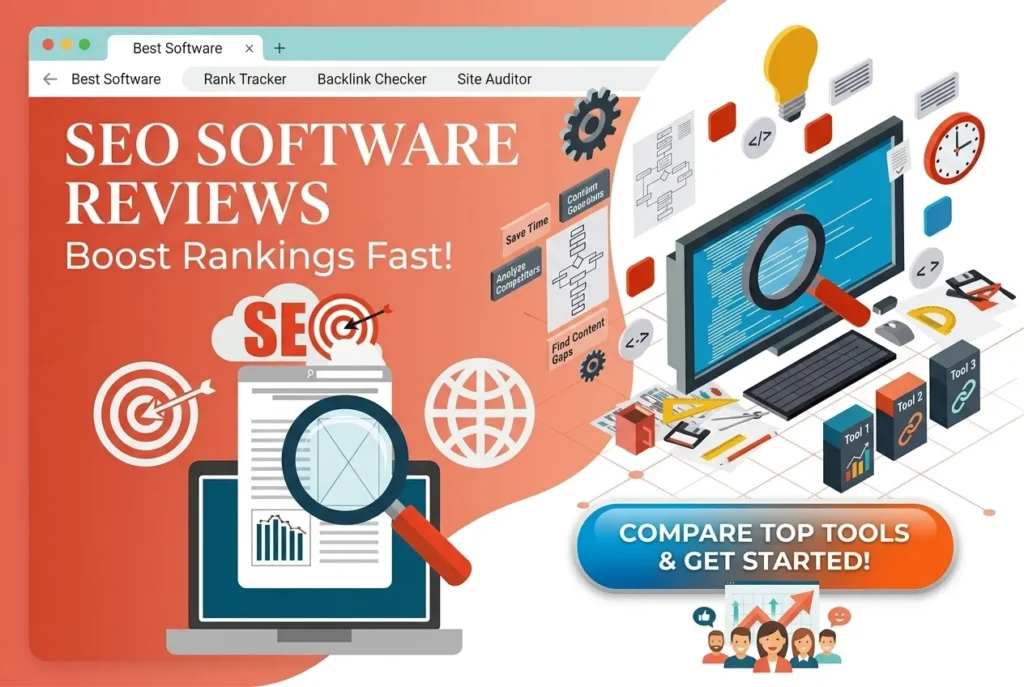
SEO software is a category of tools that helps you research keywords, audit your website, track search rankings, analyze backlinks and measure organic traffic, so you can earn more visibility in Google and AI search engines. The best SEO software in 2026 combines all of these jobs in one dashboard, uses AI to speed up content work, and fits your budget and team size.
If you run a website, a blog or an online store, SEO software is no longer optional. Search results are more crowded than ever, Google’s algorithms reward helpful content, and AI answer engines now decide which brands get cited. Guessing is expensive. Data is cheap by comparison.
In this guide you will learn exactly what SEO software does, which types exist, the best tools to consider, the features that matter, and a simple process to choose the right platform. Every section is written to give you a direct answer first and the detail after.
What Is SEO Software?
SEO software (also called SEO tools or SEO platforms) is any application that collects search data and turns it into actions that improve a website’s organic rankings. It typically covers five jobs:
- Keyword research: finding what people search for, how often, and how hard it is to rank.
- Site auditing: detecting technical errors that block crawling, indexing or speed.
- Rank tracking: monitoring where your pages appear for target queries.
- Backlink analysis: measuring and building the links that point to your site.
- Content optimization: guiding writers to cover a topic completely.
Think of it as a dashboard for your search visibility. Without it, you are driving at night with no headlights.
Key Takeaways
- SEO software saves hours by automating research, audits and reporting that used to be done by hand.
- All-in-one suites such as Semrush and Ahrefs suit most growing sites, while specialist tools are better for narrow jobs.
- Free tools like Google Search Console are essential and should be set up first.
- In 2026, good SEO software also tracks visibility in AI answers, not only blue links.
- The “best” tool is the one that matches your goals, skills and budget, not the one with the longest feature list.
Why SEO Software Matters in 2026
Search has changed. Ten years ago, ranking meant matching a keyword. Today, Google evaluates helpfulness, experience and trust, and AI systems summarize the web before a user ever clicks.
Here is why SEO software has become a core business tool:
1. Competition is data-driven. Your competitors are already using platforms such as Semrush and Ahrefs to find keyword gaps. If you rely on guesswork, you will lose to teams that do not.
2. Websites are technically complex. Core Web Vitals, JavaScript rendering, structured data and mobile-first indexing all affect rankings. A crawler such as Screaming Frog finds issues no human could spot across thousands of URLs.
3. Time is limited. Manual keyword research in a spreadsheet can take days. A tool such as Google Keyword Planner or Ubersuggest does it in minutes.
4. Reporting proves value. Whether you are a freelancer, agency or in-house marketer, dashboards from Looker Studio and rank trackers turn effort into evidence.
5. AI search is rewriting visibility. Being cited in an AI answer is the new “position one”. Tools are adapting, and so must you. For a deeper look at the free utilities that support this work, browse the SEO tools collection on EveryToolfy.
Types of SEO Software
Not every tool does everything. Understanding the categories helps you build a stack that fits your needs instead of overpaying for features you will never use.
1. All-in-One SEO Suites
These platforms bundle keyword research, audits, rank tracking and backlinks in one account. Examples include Semrush, Ahrefs, Moz Pro and SE Ranking. They are ideal for agencies, businesses and serious bloggers who want one source of truth.
2. Keyword Research Tools
These focus on discovering and validating search terms. Google Keyword Planner, Keyword Tool, AnswerThePublic and AlsoAsked are popular. They help you find questions, long-tail phrases and topic clusters. If you are new to this, read our guide on how to do keyword research first.
3. Technical SEO and Site Audit Tools
These crawl your website like a search engine. Screaming Frog, Sitebulb and Lumar detect broken links, redirect chains, duplicate content and missing tags. Pair them with PageSpeed Insights to test performance.
4. Backlink Analysis Tools
Links remain a strong ranking signal. Majestic, Ahrefs Backlink Checker and Moz Link Explorer show who links to you and your competitors, and reveal toxic or lost links.
5. Rank Tracking Software
These monitor keyword positions daily or weekly, by location and device. AccuRanker, SE Ranking and Semrush Position Tracking are well known.
6. Content Optimization Software
These tools analyze top-ranking pages and recommend topics, headings and terms. Surfer SEO, Clearscope and MarketMuse lead this category.
7. WordPress SEO Plugins
If you use WordPress, Yoast SEO and Rank Math handle on-page basics such as titles, meta descriptions, schema and XML sitemaps directly inside your editor.
8. Local SEO Software
Businesses with physical locations benefit from tools such as BrightLocal and Whitespark, which manage citations, reviews and local rank tracking.
9. Enterprise SEO Platforms
Large organizations use BrightEdge, Conductor and seoClarity for scale, governance and advanced reporting.
Core Features to Look For
A long feature list can be misleading. Focus on the capabilities that move rankings and revenue.
Accurate Keyword Data
Good SEO software shows search volume, keyword difficulty (KD), cost per click and search intent. Low KD keywords are the fastest wins for new sites. Use Google Trends to confirm a topic is stable or growing before you invest. You can also use the free keyword tools at EveryToolfy to validate ideas quickly.
Technical Site Audits
Look for scheduled crawls that flag broken links, slow pages, missing alt text, duplicate titles and indexability problems. A strong audit tool prioritizes issues by impact so you fix the important ones first. Our technical SEO checklist shows what to review manually.
Rank Tracking
You need daily or weekly position data, location targeting, mobile vs desktop splits, and competitor comparisons. The ability to track SERP features such as featured snippets and People Also Ask boxes is a major plus.
Backlink Intelligence
Check the size and freshness of the link index. A bigger, fresher index means more accurate competitor analysis. Features such as link gap analysis and toxic link alerts are valuable.
Content and On-Page Guidance
The best platforms suggest related entities, questions and headings. They should also integrate with your CMS or editor. Read our on-page SEO guide to learn what these recommendations mean.
AI Visibility Tracking
Newer features track whether your brand is mentioned or cited in AI answers from engines such as Google AI Overviews, ChatGPT and Perplexity. This is quickly becoming a must-have.
Reporting and Integrations
Look for white-label reports, scheduled emails and integrations with Google Analytics, Google Search Console and Looker Studio.
Usability and Support
A powerful tool you cannot understand is a waste. Check onboarding, documentation, tutorials and support responsiveness. Try the free trial before paying.
The 15 Best SEO Software Tools
Here is a practical shortlist, grouped by what each tool does best. Pricing changes often, so always confirm current plans on each vendor’s website.
1. Semrush: Best All-in-One Suite
Semrush offers keyword research, site audits, rank tracking, backlink analysis, content tools and competitive research. Its Keyword Magic Tool is excellent for finding long-tail ideas, and its Site Audit is beginner-friendly. Best for: agencies and growing businesses.
2. Ahrefs: Best for Backlinks and Research
Ahrefs is famous for its huge backlink index and clean interface. Site Explorer lets you spy on competitors, and Keywords Explorer provides reliable difficulty scores. Best for: link building and competitive analysis. The free Ahrefs Webmaster Tools is a great starting point for site owners.
3. Google Search Console: Best Free Tool
Google Search Console is the only tool that shows data directly from Google, including queries, clicks, impressions, indexing status and Core Web Vitals. Best for: every website owner, no exceptions. If you are unsure how to read its reports, see our Google Search Console guide.
4. Moz Pro: Best for Beginners
Moz Pro combines keyword research, rank tracking and site crawling in a friendly interface. It also created the well-known Domain Authority metric. Best for: small teams learning SEO.
5. SE Ranking: Best Value All-in-One
SE Ranking delivers a strong feature set at a lower price than many competitors, including rank tracking, audits and a content editor. Best for: freelancers and small agencies.
6. Screaming Frog SEO Spider: Best for Technical Audits
Screaming Frog is a desktop crawler that finds technical issues fast. The free version crawls up to 500 URLs, which is enough for small sites. Best for: technical SEO specialists.
7. Surfer SEO: Best for Content Optimization
Surfer analyzes top results and gives a content score with recommended terms and structure. Best for: writers and content teams.
8. Ubersuggest: Best Budget Option
Ubersuggest by Neil Patel provides keyword ideas, site audits and backlink data at a low cost. Best for: beginners and solo bloggers.
9. Mangools (KWFinder): Best for Keyword Research
Mangools bundles KWFinder, SERPChecker and SiteProfiler in a clean, simple suite. Best for: low-difficulty keyword discovery.
10. Yoast SEO: Best WordPress Plugin
Yoast SEO guides on-page optimization inside WordPress with readability and SEO checks, schema output and sitemaps. Best for: WordPress site owners.
11. Rank Math: Best Yoast Alternative
Rank Math offers many advanced features, including schema types and redirects, in its free plan. Best for: WordPress users wanting more built-in options.
12. Majestic: Best for Link Metrics
Majestic specializes in link data, with unique metrics such as Trust Flow and Citation Flow. Best for: link analysts.
13. Sitebulb: Best Visual Audit Tool
Sitebulb explains technical issues with clear visuals and prioritized hints. Best for: consultants who present findings to clients.
14. Clearscope: Best for Enterprise Content Teams
Clearscope provides content grading and keyword suggestions for editorial teams that value polish. Best for: established content programs.
15. BrightEdge: Best for Enterprise
BrightEdge offers enterprise-level reporting, forecasting and workflow tools. Best for: large brands with dedicated SEO teams.
Free vs Paid SEO Software
You can build a surprisingly powerful stack for free. The right choice depends on your stage.
Best Free SEO Tools
| Tool | What It Does | Link |
|---|---|---|
| Google Search Console | Search performance and indexing | Open |
| Google Analytics 4 | Traffic and behavior | Open |
| Bing Webmaster Tools | Bing and Copilot visibility data | Open |
| PageSpeed Insights | Speed and Core Web Vitals | Open |
| Google Trends | Topic demand over time | Open |
| Rich Results Test | Structured data validation | Open |
| Schema Markup Validator | Schema.org checking | Open |
| Microsoft Clarity | Free heatmaps and recordings | Open |
| Ahrefs Webmaster Tools | Free audits and backlinks for your own site | Open |
When to Upgrade to Paid
Move to paid SEO software when you hit one of these limits:
- You need competitor data you cannot get for free.
- You manage more than one website or several clients.
- You publish content at scale and need research speed.
- You require historical rank tracking and automated reports.
Many paid tools offer free trials, so test before you commit. For more free options, see our roundup of free SEO tools.
How to Choose the Right SEO Software
Use this simple six-step process to avoid expensive mistakes.
Step 1: Define Your Goal
Do you want more blog traffic, more local leads, or better technical health? A blogger needs keyword and content tools. A local shop needs local SEO software. An online store needs strong technical auditing.
Step 2: Set a Realistic Budget
Entry-level plans start affordably, while enterprise platforms cost much more. Remember that a tool only pays for itself if you act on its data.
Step 3: Match Your Skill Level
Beginners should pick simple, guided interfaces such as Moz Pro or Ubersuggest. Advanced users may prefer deeper platforms such as Ahrefs or Screaming Frog. Brush up your skills with our SEO for beginners guide.
Step 4: Check Data Quality
Compare the same keyword across two tools. Differences in volume are normal, but the direction and relative difficulty should be similar. Cross-check with Google Search Console, which holds your real data.
Step 5: Test with a Free Trial
Run a real task: audit your site, research ten keywords, and check three competitors. Notice how fast and clear the process feels.
Step 6: Check Integrations and Support
Confirm that the tool connects to your analytics, CMS and reporting stack, and that help is available when you are stuck.
How to Use SEO Software Step by Step
Owning a tool is not the same as getting results. Follow this workflow.
1. Connect your data sources. Verify your site in Google Search Console and connect Google Analytics so your SEO software sees real performance.
2. Run a baseline audit. Crawl your site and list critical errors first: broken pages, indexing blocks, slow templates. Use our site audit checklist alongside your tool.
3. Research keywords by intent. Choose terms with clear intent and low-to-medium difficulty. Group them into topic clusters so one pillar page supports many related posts.
4. Analyze competitors. Find keywords they rank for that you do not. This is called a content gap analysis and it is one of the fastest ways to find opportunities.
5. Create or improve content. Use a content optimizer to cover subtopics, questions and entities. Write for humans first, then refine. Our content writing for SEO guide explains how.
6. Optimize on-page elements. Write unique title tags, meta descriptions, header structure and internal links. A plugin such as Yoast SEO keeps this consistent.
7. Build quality backlinks. Use backlink data to find link gaps and outreach targets. Focus on relevance and trust, not volume. Learn more in our link building strategies article.
8. Track and report. Monitor rankings, clicks and conversions weekly. Review monthly and adjust.
9. Refresh winners. Update older pages that are slipping. Fresh, accurate content keeps rankings stable for years.
SEO Software for AI Search (GEO, AEO and AIO)
Ranking on Google is only part of the picture. People now ask questions to AI assistants and expect a direct answer. Optimizing for these systems is known by several names:
- AEO (Answer Engine Optimization): structuring content so it can be used as a direct answer.
- GEO (Generative Engine Optimization): improving the chance that generative AI tools mention or cite your brand.
- AIO (AI Optimization): the broader practice of making content understandable to machines and models.
How SEO Software Helps with AI Visibility
Modern platforms are adding features to measure AI mentions, track citations in AI Overviews, and highlight question-based keywords. Even without those features, you can use your standard SEO software to support AI visibility:
- Target question keywords. Use AlsoAsked and AnswerThePublic to find the exact questions people ask.
- Lead with a direct answer. Put a 40 to 60 word answer right under the heading, as this article does.
- Use structured data. Add FAQ, Article and HowTo schema so machines can parse your page.
- Show expertise and trust. Follow Google’s E-E-A-T guidance with author bios, sources and real experience.
- Build entity clarity. Use consistent brand names, an About page and mentions on trusted sites so AI systems understand who you are.
- Keep content fresh and factual. AI engines prefer accurate, well-sourced pages. Update statistics and remove outdated claims.
- Make pages crawlable. Allow trusted crawlers where appropriate and keep your robots.txt and sitemap clean.
Learn more about this shift in our guide to AI search optimization and our overview of answer engine optimization.
Search Experience Optimization (SXO)
SXO means optimizing the whole journey: the click, the page experience and the conversion. Great SEO software shows you where users arrive, but you must still deliver a good experience:
- Load fast and pass Core Web Vitals.
- Use clear headings, short paragraphs and scannable lists.
- Match search intent in the first screen.
- Add obvious next steps, such as a free trial link or related tool.
- Study behavior with Microsoft Clarity or Hotjar to find friction.
Rankings bring visitors. Experience turns them into customers.
Common Mistakes to Avoid
Buying too much too soon. Start with free tools and upgrade when you have a clear need.
Chasing vanity metrics. Domain scores and keyword counts matter less than traffic, leads and revenue.
Ignoring search intent. A keyword with high volume is useless if your page does not match what searchers want.
Trusting one data source. Tools estimate; Google Search Console reports reality. Use both.
Overusing AI content. Automation helps, but unedited, generic text rarely earns trust. Follow Google’s guidance on using AI-generated content.
Skipping technical basics. Great content cannot rank if pages are not indexed. Review Google’s SEO Starter Guide.
Buying links. Paid link schemes violate Google’s spam policies and can cause penalties.
Not acting on reports. Data without action is just decoration. Assign owners and deadlines to every fix.
Comparison Table
| Software | Best For | Free Plan or Trial | Standout Feature |
|---|---|---|---|
| Semrush | All-in-one SEO | Trial / limited free | Keyword Magic Tool |
| Ahrefs | Backlinks and research | Free Webmaster Tools | Huge link index |
| Google Search Console | Real Google data | Free | Direct search data |
| Moz Pro | Beginners | Trial | Domain Authority |
| SE Ranking | Value | Trial | Affordable suite |
| Screaming Frog | Technical audits | Free up to 500 URLs | Deep crawling |
| Surfer SEO | Content optimization | Trial varies | Content score |
| Ubersuggest | Budget users | Limited free | Simple interface |
| Mangools | Keyword research | Trial | KWFinder |
| Yoast SEO | WordPress on-page | Free version | Editor guidance |
| Rank Math | WordPress advanced | Free version | Schema options |
| Majestic | Link metrics | Limited | Trust Flow |
Plans and pricing change frequently. Always verify on the official site.
Frequently Asked Questions
What is SEO software?
SEO software is a set of digital tools that analyze your website and the search results to help you rank higher in Google and other search engines. It handles keyword research, site audits, rank tracking, backlink analysis and content optimization in one place or across several apps.
What is the best SEO software?
There is no single best option for everyone. Semrush and Ahrefs are the most popular all-in-one platforms, SE Ranking offers strong value, and Google Search Console is the best free tool. Choose based on your goals and budget.
Is there free SEO software?
Yes. Google Search Console, Google Analytics, Bing Webmaster Tools, PageSpeed Insights, Google Trends and Ahrefs Webmaster Tools are all free and powerful. You can also explore the free tools on EveryToolfy.
How much does SEO software cost?
Prices range from free to several hundred dollars per month for professional suites, and into custom enterprise pricing for large platforms. Many vendors offer annual discounts and free trials. Confirm current pricing on each official website.
Do I really need SEO software to rank on Google?
You can rank without paid software, but you will work slower and with less insight. At a minimum, use free tools to track performance and find errors. Paid tools become worthwhile when you need competitor and keyword data at scale.
What is the difference between SEO software and an SEO plugin?
An SEO plugin such as Yoast SEO works inside your CMS and handles on-page tasks. SEO software, such as Semrush or Ahrefs, runs externally and provides research, competitor and backlink data. Most sites benefit from using both.
Can SEO software guarantee first-page rankings?
No. No tool can guarantee rankings, because Google’s results depend on many factors including content quality, links, user experience and competition. SEO software gives you the data to make better decisions, but you still have to execute. Be cautious of any vendor claiming guaranteed positions.
How does SEO software help with AI search?
Some platforms now track brand mentions in AI Overviews and chatbots. Even without that, SEO software helps you find question keywords, structure answers clearly, add schema and strengthen authority, all of which improve your chances of being cited by AI systems.
How often should I check my SEO software?
Check rankings and traffic weekly, run a full technical audit monthly, and review strategy quarterly. Set alerts for sudden drops so you can react quickly.
Is SEO software worth it for small businesses and bloggers?
Yes, if you use it. A small site can start with free tools, then add one affordable paid platform for keyword research and rank tracking. The return comes from better decisions and saved time.
What should I look for in SEO software?
Prioritize accurate keyword data, reliable site audits, rank tracking, backlink analysis, content guidance, integrations and good support. Test it with a free trial on your own website.
SEO software turns a confusing, time-consuming craft into a measurable process. The right platform helps you find keywords your competitors miss, fix technical problems before they hurt rankings, build links with purpose, and prove results with clear reports.
Here is the simple path forward:
- Start free: set up Google Search Console, Google Analytics and Bing Webmaster Tools.
- Add one all-in-one tool: try Semrush, Ahrefs or SE Ranking on a trial.
- Optimize on-page: use Yoast SEO or Rank Math if you run WordPress.
- Create helpful content: follow Google’s helpful content guidance.
- Prepare for AI search: answer questions directly, use schema and build trust.
- Keep improving: review data, refresh content and repeat.
Ready to put this into action? Explore the free tools and guides at EveryToolfy, start with our SEO for beginners guide, and bookmark this page as your reference for choosing SEO software.