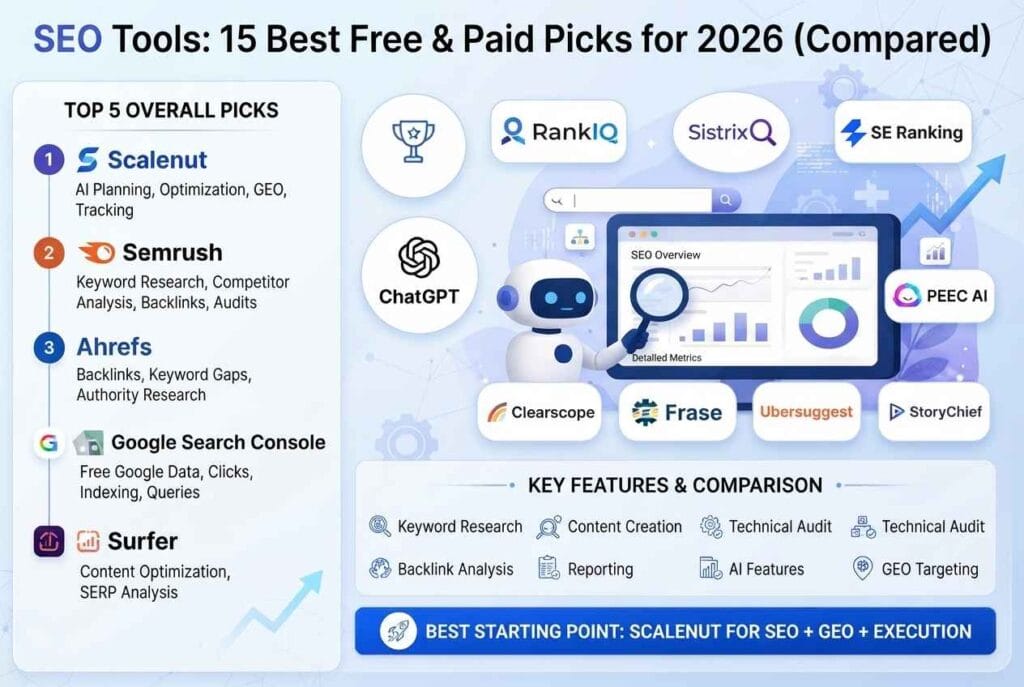
The right SEO tools can save you hours of guessing and help you rank faster. The wrong ones drain your budget and bury you in dashboards you never open. With hundreds of options on the market, choosing is the hardest part.
This guide narrows it down. We compared 15 of the most useful SEO tools for 2026 by what they do, what they cost, who they suit and where they fall short. You will also learn how to build a simple SEO stack for any budget, how to use SEO tools in a real workflow, and how to track your brand in AI search results such as Google AI Overviews and ChatGPT.
Prices and features change often. Always confirm the latest details on each official website before you buy.
Quick Answer: The Best SEO Tools for Most People
Short on time? Start here.
- Best free tool: Google Search Console. It gives you first-party data that no paid tool can match.
- Best all-in-one platform: Semrush or Ahrefs. Both cover keywords, audits, backlinks and tracking.
- Best technical SEO tool: Screaming Frog SEO Spider.
- Best for WordPress on-page SEO: Yoast SEO.
- Best budget option: Ubersuggest or Mangools.
- Best for content optimisation: Surfer SEO.
You do not need all of them. A strong starter stack costs little or nothing: Google Search Console, Google Analytics, a free crawler and one on-page plugin.
What Are SEO Tools?
SEO tools are software products that help you understand and improve how your website performs in search engines. They collect data, spot problems and suggest actions. You still make the decisions, but the tools do the heavy lifting.
At a basic level, SEO tools answer questions like these:
- What are people searching for?
- Which keywords can my site realistically rank for?
- What is broken on my website?
- Who links to my competitors?
- Are my rankings going up or down?
- Is my content good enough to compete?
Search engine optimisation is the practice of improving a site so it earns more organic traffic. If you want a general definition and history, this overview of search engine optimization is a helpful starting point. For official guidance straight from the source, read Google’s SEO Starter Guide.
Types of SEO Tools
Different SEO tools solve different problems. Knowing the categories stops you from paying twice for the same feature.
Keyword Research Tools
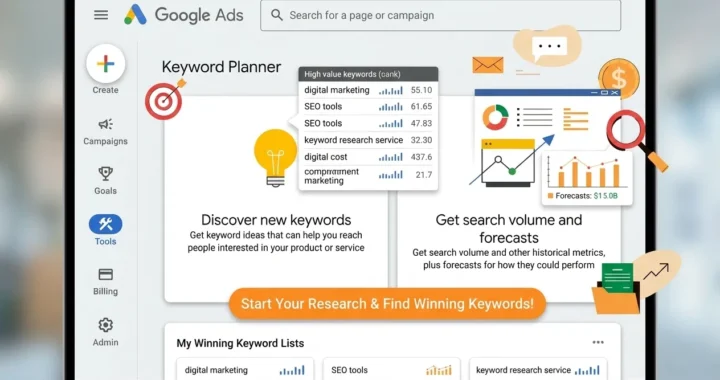
These show search volume, difficulty and related ideas. Examples include Google Keyword Planner, Ahrefs Keywords Explorer, Semrush Keyword Magic Tool and KWFinder.
Technical SEO and Site Audit Tools
These crawl your site to find broken links, slow pages, missing tags and indexing problems. Screaming Frog, Sitebulb and the site audit modules in Semrush and Ahrefs fit here.
Backlink Analysis Tools
These show who links to you and to your competitors. Ahrefs, Majestic, Semrush and Moz lead this area.
On-Page and Content Optimisation Tools
These help you write and edit pages so they match search intent. Yoast SEO, Rank Math, Surfer SEO, Clearscope and Frase are common picks.
Rank Tracking Tools
These monitor where your pages appear for target keywords over time. Most all-in-one platforms include this, and Google Search Console shows average positions for free.
Performance and Analytics Tools
These measure traffic, speed and user behaviour. Google Analytics, Google Search Console and PageSpeed Insights are the essentials.
AI Search Visibility Tools
A newer category. These track whether your brand appears in AI answers from tools like ChatGPT, Gemini and Perplexity. Several major platforms have added this feature in 2026.
Comparison Table: 15 Best SEO Tools in 2026
Prices are approximate, based on publicly listed 2026 pricing, and may change.
| Tool | Best For | Approx. Starting Price | Free Option |
|---|---|---|---|
| Google Search Console | Real search performance data | Free | Yes (fully free) |
| Ahrefs | Backlinks and keyword research | From about $29/month (entry plan) | Webmaster Tools (free) |
| Semrush | All-in-one marketing suite | From about $140/month | Limited free account |
| Screaming Frog | Technical audits | Around £199/year | Free up to 500 URLs |
| Yoast SEO | WordPress on-page SEO | Free, premium paid | Yes |
| Moz Pro | Beginners and rank tracking | From about $49 to $99/month | Limited free tools |
| Ubersuggest | Low-cost keyword research | About $29/month or lifetime deal | 3 searches/day |
| SE Ranking | Value for small teams | Mid-range monthly plans | Free trial |
| Mangools | Beginner-friendly suite | Low monthly plans | Free trial |
| Surfer SEO | Content optimisation | From about $89/month | No |
| Google Keyword Planner | Keyword ideas | Free with an Ads account | Yes |
| Google Trends | Seasonal and trend data | Free | Yes |
| PageSpeed Insights | Speed and Core Web Vitals | Free | Yes |
| Ahrefs Webmaster Tools | Free audits for your own site | Free | Yes |
| Bing Webmaster Tools | Bing indexing and data | Free | Yes |
The 15 Best SEO Tools Reviewed
1. Google Search Console: Best Free SEO Tool
Google Search Console (GSC) shows how your site appears in Google. You see the queries that bring impressions, your click-through rate, average position, indexing status and mobile usability problems. No paid platform can replace this first-party data.
Pros
- Completely free
- Real data straight from Google
- Shows indexing errors and manual actions
- Lets you submit sitemaps and request indexing
Cons
- Limited historical data
- No competitor insights
- Interface is basic
Verdict: Every website owner needs it. Set it up on day one at Google Search Console.
2. Ahrefs: Best for Backlinks and Keyword Research
Ahrefs is famous for its huge backlink index. Site Explorer shows who links to any site, which pages earn the most links and which keywords drive traffic. Keywords Explorer provides difficulty scores and detailed SERP data.
Ahrefs has also added features to track brand visibility in AI search, which makes it useful for modern SEO.
Pros
- Excellent backlink data
- Strong keyword research
- Clean, fast interface
- Free Webmaster Tools for your own site
Cons
- Paid plans get expensive as you scale
- Usage limits on lower tiers
Verdict: A top choice if links and content research matter most. See current plans at Ahrefs.
3. Semrush: Best All-in-One SEO Platform
Semrush covers keyword research, site audits, rank tracking, content tools, advertising research and competitor analysis. It is more than an SEO tool. It is a full digital marketing suite.
The depth is impressive, but so is the learning curve and price.
Pros
- Very broad feature set
- Strong competitor research
- Useful content and AI tools
- Good reporting
Cons
- Higher price than most rivals
- Can feel overwhelming to beginners
Verdict: Best for agencies and serious marketers who want everything in one place. Explore Semrush for plan details.
4. Screaming Frog SEO Spider: Best Technical SEO Tool
Screaming Frog is a desktop crawler. It scans your site like a search engine and reports broken links, redirect chains, duplicate titles, missing meta descriptions, images without alt text and much more.
The free version crawls up to 500 URLs, which is plenty for many small sites. The paid licence removes the limit and adds features like JavaScript rendering and custom extraction.
Pros
- Industry-standard crawler
- Free version is genuinely useful
- Excellent for large audits
Cons
- Desktop software with a technical interface
- Takes practice to read the data
Verdict: The best value in technical SEO. Download it from the Screaming Frog website.
5. Yoast SEO: Best WordPress On-Page SEO Plugin
Yoast SEO helps you optimise each post as you write it. It checks your focus keyphrase, meta title, meta description, readability and internal links. It also generates XML sitemaps and structured data.
If your site runs on WordPress, this is one of the easiest ways to get the basics right.
Pros
- Simple traffic-light feedback
- Free version covers essentials
- Handles sitemaps, schema and breadcrumbs
Cons
- Green lights do not guarantee rankings
- Best features sit in the premium version
Verdict: A must-have for WordPress users. Learn more at Yoast SEO. If you prefer another option, Rank Math is a popular alternative.
6. Moz Pro: Best for Beginners Who Want Guidance
Moz Pro offers keyword research, rank tracking, site crawling and link analysis in a simpler package. Its recommendations are easy to follow, which helps beginners act on the data.
Its indexes are smaller than Ahrefs or Semrush, but the lower learning curve suits many small teams.
Pros
- Beginner-friendly
- Actionable suggestions
- Useful free tools
Cons
- Smaller data index
- Fewer advanced features
Verdict: Good for new marketers. See Moz for current pricing.
7. Ubersuggest: Best Budget Keyword Tool
Ubersuggest, created by Neil Patel, is an affordable tool for keyword ideas, content suggestions and basic site audits. It offers a limited free version and a lifetime pricing option.
It does not match the data depth of Ahrefs or Semrush, but it works well for solo bloggers and small sites.
Pros
- Low price and lifetime option
- Simple interface
- Good content ideas
Cons
- Smaller backlink index
- Data is less precise than premium rivals
Verdict: A smart entry point. Try Ubersuggest before spending more.
8. SE Ranking: Best Value for Small Teams
SE Ranking combines rank tracking, audits, keyword research, backlink checks and reporting at a lower cost than the biggest platforms. It also offers white-label reports, which agencies like.
Pros
- Good balance of price and features
- Strong rank tracking and reporting
- White-label options
Cons
- Data depth trails the top two platforms
- Some features cost extra
Verdict: A solid mid-priced choice. Visit SE Ranking for a trial.
9. Mangools: Best Beginner-Friendly Suite
Mangools bundles KWFinder, SERPChecker, SERPWatcher, LinkMiner and SiteProfiler. The interface is clean and friendly, and KWFinder is often praised for easy keyword research.
Pros
- Very easy to learn
- Clean visuals
- Reasonable pricing
Cons
- Fewer advanced features
- Not built for large agencies
Verdict: Ideal for bloggers and small businesses. Check Mangools.
10. Surfer SEO: Best for Content Optimisation
Surfer analyses top-ranking pages and shows the terms, headings and structure they use. Its editor scores your draft and suggests improvements. It also offers tools for outlines and content planning.
Pros
- Clear content guidelines
- Helpful editor
- Speeds up on-page work
Cons
- Focuses on content only
- Chasing the score can lead to bland writing
Verdict: Best for content teams. See Surfer SEO. Similar tools include Clearscope and Frase.
11. Google Keyword Planner: Best Free Keyword Idea Source
Built for advertisers, Keyword Planner still provides handy keyword ideas and volume ranges. Volumes are shown as ranges unless you run ads, but it is fine for spotting topics.
Pros
- Free
- Data comes from Google
- Good for discovering new ideas
Cons
- Volume ranges can be vague
- Built for ads, not SEO
Verdict: Use it to brainstorm. Open Google Keyword Planner with a free Ads account.
12. Google Trends: Best Free Tool for Trends and Seasonality
Google Trends shows how interest in a topic changes over time and by region. It is ideal for checking whether a keyword is growing, fading or seasonal. That helps you decide if a topic is truly evergreen.
Pros
- Free
- Great for seasonality and comparisons
- Shows related queries
Cons
- Shows relative interest, not exact volume
Verdict: A quick sanity check before you write. Try Google Trends.
13. PageSpeed Insights: Best Free Speed Testing Tool
Page speed affects user experience and Core Web Vitals. PageSpeed Insights tests a URL on mobile and desktop and gives specific fixes, such as compressing images or reducing unused JavaScript.
Pros
- Free and easy
- Shows real-world Chrome data where available
- Gives clear fixes
Cons
- Scores can vary between tests
- Does not fix problems for you
Verdict: Run it on your key pages monthly. Use PageSpeed Insights. For deeper waterfall reports, try GTmetrix.
14. Ahrefs Webmaster Tools: Best Free Audit for Your Own Site
Ahrefs Webmaster Tools is free for sites you verify. It provides a site audit, backlink data for your own domain and keyword information. It is one of the best free additions to Search Console.
Pros
- Free for verified sites
- Solid audit and backlink reports
Cons
- Limited to your own site
- No competitor research
Verdict: Excellent value. Sign up at Ahrefs Webmaster Tools.
15. Bing Webmaster Tools: Best Free Tool for Bing and Beyond
Bing Webmaster Tools works like Search Console for Bing. It shows crawl stats, indexing, keyword data and SEO reports. Bing also powers other search experiences, so it is worth verifying your site there.
Pros
- Free
- Easy import from Search Console
- Extra data source
Cons
- Smaller share of traffic than Google
Verdict: Takes five minutes to set up. Join Bing Webmaster Tools.
For more independent comparisons, read roundups such as Zapier’s best SEO tools guide and the Guideflow list of the best SEO tools. Different reviewers weigh features differently, so reading two or three helps you see the full picture.
Best SEO Tool Stacks by Budget
You do not need to buy everything. Here are three sensible stacks.
The Free Stack ($0)
- Google Search Console
- Google Analytics
- Google Keyword Planner and Google Trends
- PageSpeed Insights
- Ahrefs Webmaster Tools
- Screaming Frog (free, up to 500 URLs)
- Yoast SEO (free) if you use WordPress
This stack can carry a new blog for months.
The Starter Stack (about $30 to $70 per month)
- Everything in the free stack
- One affordable keyword tool, such as Ubersuggest, Mangools or an entry Ahrefs plan
This adds better keyword research and competitor insight without a big commitment.
The Pro Stack (about $150 to $300+ per month)
- Semrush or Ahrefs as your core platform
- Screaming Frog paid licence
- Surfer SEO or a similar content tool
- Google Search Console and Analytics
This suits agencies, full-time SEOs and larger content sites. Many teams use one main platform plus one or two specialist tools instead of five overlapping suites.
How to Choose the Right SEO Tools
Follow these steps before you subscribe to anything.
1. Define your main problem
Are you struggling to find keywords, fix technical issues, build links or improve content? Buy for the problem, not the hype.
2. Start free
Set up Search Console, Analytics and a free crawler first. They reveal many issues at no cost.
3. Use free trials
Most paid platforms offer trials or money-back windows. Test with your real site, not demo data.
4. Check data quality for your market
Keyword data varies by country and language. Test a few queries you know well and see if the numbers look reasonable.
5. Watch usage limits
Cheap plans often cap reports, tracked keywords or crawled pages. Make sure the limits fit your site size.
6. Consider integrations
Tools that connect to Search Console, Analytics or WordPress save time and reduce copy-paste work.
7. Buy annual only after testing
Annual plans save money but lock you in. Use monthly billing for the first two or three months.
SEO Tools for AI Search and LLM Visibility
Search is changing. People now get answers from Google AI Overviews, ChatGPT, Gemini and Perplexity. That means SEO now includes being cited or mentioned in AI-generated answers. Some call this AI SEO, generative engine optimisation (GEO) or LLM SEO.
Tools are catching up. Several major platforms, including Semrush, Ahrefs and Moz, have added features that track brand mentions or visibility in AI answers. Newer tools also focus only on this area. Features and names change quickly, so check current offerings before you pay.
Whatever tool you use, these tactics help your content get picked up by AI systems.
1. Answer questions directly. Put a short, clear answer near the top of the page, then expand. AI systems prefer content that is easy to quote.
2. Use clear headings and structure. Question-style headings, tables and short lists make it easier for systems to extract facts.
3. Add structured data. Schema markup such as FAQ, Article and Organization helps search engines understand your page. Learn the basics in Google’s structured data introduction, the schema.org vocabulary and test your pages with the Rich Results Test.
4. Show real expertise. Include author names, dates, sources and first-hand experience. Google’s guidance on creating helpful, people-first content explains this well.
5. Keep facts fresh. Update prices, statistics and screenshots regularly. Outdated pages lose trust.
6. Build brand mentions. Being discussed on reputable sites and forums helps AI systems associate your brand with a topic.
7. Make your site easy to crawl. Allow normal search crawlers, keep a clean sitemap and avoid blocking important pages by accident.
8. Learn how Google treats AI features. Google explains how AI features in Search work with websites in its documentation on AI features and your website.
You may also see the emerging llms.txt proposal, which suggests a file that helps language models find key pages. Treat it as experimental. It is not a ranking factor, and major search engines have not promised to use it. Good content and clear structure matter far more.
A Simple SEO Workflow Using These Tools
Tools only work when they fit a process. Here is a simple workflow you can repeat every month.
Step 1: Research keywords
Use Google Keyword Planner, Google Trends and a paid tool if you have one. Look for topics with steady interest and manageable competition. Check the search results yourself to see who ranks and what type of content wins.
Step 2: Check search intent
Search the keyword in Google. Do you see guides, product pages or tools? Match your page type to what already ranks.
Step 3: Create the content
Write for people first. Use an on-page tool like Yoast SEO to check your keyphrase, meta description and readability. Use Surfer, Clearscope or Frase if you want extra guidance.
Step 4: Fix technical basics
Crawl your site with Screaming Frog or Ahrefs Webmaster Tools. Fix broken links, duplicate titles and redirect chains. Test key pages in PageSpeed Insights.
Step 5: Build internal and external links
Link new posts to related older posts. Use a backlink tool to study competitor links and find realistic outreach targets.
Step 6: Submit and monitor
Submit your sitemap in Search Console and Bing Webmaster Tools. Check indexing, impressions, clicks and average position weekly.
Step 7: Refresh what works
After a few months, review pages that gained impressions but few clicks. Improve titles, add sections and update facts. Refreshing is often faster than writing new content.
Free vs Paid SEO Tools
Free tools are powerful, especially the ones from Google and Bing. They give you real data about your own site. Their weakness is competitor insight. They rarely show who links to your rivals or which keywords competitors rank for.
Paid tools fill that gap. They estimate traffic, show backlinks for any domain and speed up research. The trade-off is cost and estimates that are not always exact.
A practical rule: use free tools until you can name a specific problem they cannot solve. Then buy the smallest paid plan that solves it.
Also remember that keyword volume and difficulty scores are estimates. Different tools show different numbers for the same keyword. Use them to compare ideas, not as exact truth.
Common Mistakes to Avoid
Buying too many tools. Overlapping subscriptions waste money. Pick one core platform.
Trusting scores blindly. A green light in an on-page plugin or a high content score does not guarantee rankings.
Ignoring Search Console. It is free and accurate, yet many people skip it.
Chasing difficulty scores only. A low-difficulty keyword with no real audience will not bring traffic. Check intent and demand too.
Never acting on audits. A report full of errors helps nobody until you fix the important ones.
Forgetting mobile. Most searches now happen on phones. Test mobile speed and layout first.
Skipping updates. Old content loses rankings. Schedule refreshes.
Expecting instant results. SEO takes months. Tools help you work smarter, but they cannot force Google to rank a page.
More Free Tools on Every Tools
Every Tools builds free online tools and guides for everyday tasks. You can browse everything on the Every Tools homepage or learn about our team on the About page.
You may also like these related guides:
- Related guide: REPLACE WITH ANOTHER SEO OR BLOGGING POST TITLE
- Related guide: REPLACE WITH ANOTHER TOOLS OR AI POST TITLE
Frequently Asked Questions
What are SEO tools?
SEO tools are software that help you improve your search visibility. They cover keyword research, site audits, backlink analysis, rank tracking and content optimisation. They give you data and suggestions, but you still decide what to change.
What are the best free SEO tools?
The strongest free options are Google Search Console, Google Analytics, Google Keyword Planner, Google Trends, PageSpeed Insights, Bing Webmaster Tools, Ahrefs Webmaster Tools and the free version of Screaming Frog. Together they cover most beginner needs.
Which SEO tool is best for beginners?
Start with Google Search Console and, if you use WordPress, the Yoast SEO plugin. For a paid tool, Mangools and Ubersuggest are easy to learn and affordable. Add more only when you hit a clear limit.
Do I need both Ahrefs and Semrush?
No. Both are all-in-one platforms with plenty of overlap. Most people pick one and pair it with Google Search Console and a crawler like Screaming Frog. Use free trials to see which interface you prefer.
How much do SEO tools cost?
Costs range from free to hundreds of dollars a month. Small sites can start at $0 to $30 a month. Professional stacks with Semrush or Ahrefs often cost $150 to $300 or more monthly. Check official pricing pages, as plans change.
Are SEO tools accurate?
Google Search Console is accurate for your own site because the data comes from Google. Third-party keyword volume, traffic and difficulty figures are estimates. Use them to compare options, not as exact numbers.
Can SEO tools guarantee rankings?
No. Tools reveal opportunities and problems, but rankings depend on content quality, links, site experience and competition. Anyone promising guaranteed rankings should be treated with caution.
Do I need SEO tools for AI search?
You do not strictly need special tools, but tracking brand mentions in AI answers is becoming useful. Some major SEO platforms now include AI visibility features. The basics still apply: clear answers, structured content, trustworthy sources and strong brand mentions.
How often should I use SEO tools?
Check Search Console weekly. Run a technical crawl monthly. Review keyword rankings and content refreshes every month or quarter. Consistency matters more than daily checking.
Which SEO Tools Should You Use?
The best SEO tools are the ones you will actually use. Start with the free stack: Google Search Console, Google Analytics, a crawler and an on-page plugin. Add one paid platform, such as Ahrefs, Semrush, Ubersuggest or Mangools, once you know what problem you need to solve.
Keep your process simple. Research, publish, fix technical issues, build links, track results and refresh. Repeat every month.