
The Complete Guide to IPv4 and IPv6 Understanding the Backbone of the Internet
Have you ever wondered how billions of devices—ranging from computers and smartphones to printers and smart appliances—connect and communicate with each other online? The answer lies in IP addresses.
In this comprehensive guide, brought to you by EveryToolfy.com, you’ll gain a clear understanding of IP addresses, including both IPv4 and IPv6, and discover why they are essential in today’s digital world.
As an added bonus, we’ll also introduce our powerful and free IP Address Checker tool—your all-in-one solution for identifying and managing your online presence with ease.
What is an IP Address? The Digital Address System
In the physical world, your home has a unique street address that allows mail carriers to deliver packages accurately and on time. Without this address, the postal system would struggle to locate you, and your deliveries could easily get lost. The digital world works in much the same way.
An IP address (Internet Protocol address) is a unique numerical identifier assigned to every device connected to a network that uses the Internet Protocol. It acts as a digital address, enabling devices to communicate, send data, and receive information seamlessly across the internet.
IP serves two principal functions:
An IP address uniquely identifies a device on a network, ensuring accurate communication between systems.
Location Addressing:
It specifies the exact location of a host within a network, enabling data packets to be routed efficiently to their destination.
Simple Explanation:
Think of your computer as a phone, and your IP address as its unique phone number. Whenever you send an email or browse a website, data travels across the internet and uses your IP address to locate and return information directly to your device.
Two Versions of IP: The IPv4 to IPv6 Transition
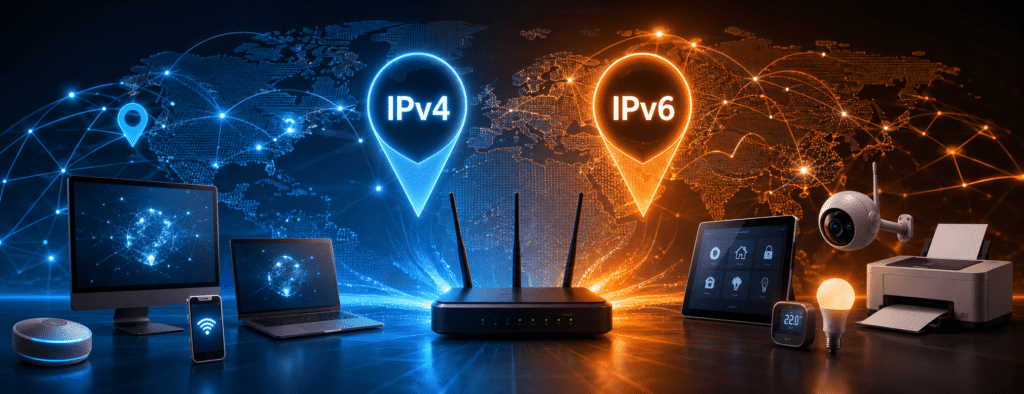
The internet currently operates on two versions of the Internet Protocol: IPv4 (version 4) and IPv6 (version 6). As global connectivity continues to expand, the world is undergoing a major and ongoing transition from the older IPv4 system to the more advanced and scalable IPv6.
This shift is essential to support the growing number of connected devices, improve network efficiency, and ensure the future sustainability of the internet.
1. IPv4 (Internet Protocol Version 4)
IPv4 (Internet Protocol version 4) was the first IP protocol to be widely deployed and has remained the dominant standard since its introduction in the early 1980s. It serves as the backbone of internet communication, enabling devices to connect and exchange data across networks.
- Address Format IPv4 addresses are 32-bit numerical values, commonly written in a human-readable “dotted-decimal” format, such as 192.168.1.1. Each section in this format represents an 8-bit segment (octet), with values ranging from 0 to 255.
- Limitation of IPv4 One of the biggest challenges with IPv4 is its limited address space. With approximately 4.3 billion unique IP addresses available, it once seemed more than sufficient. However, the rapid growth of the internet, along with the rise of smartphones, connected devices, and the Internet of Things (IoT), has led to a significant shortage of available IPv4 addresses.
2. IPv6 (Internet Protocol Version 6)
IPv6 was developed by the Internet Engineering Task Force (IETF) to address the growing problem of IPv4 address exhaustion. Unlike IPv4’s 32-bit structure, IPv6 uses a 128-bit address format, allowing for a vastly larger pool of unique IP addresses. These addresses are written in hexadecimal notation and separated by colons, for example:2001:0db8:85a3:0000:0000:8a2e:0370:7334.
The scale of IPv6 is truly remarkable. It supports approximately 3.4 × 10³⁸ unique addresses—an almost limitless supply. This ensures that every individual and device on Earth can have multiple unique IP addresses for generations to come.
Beyond its enormous capacity, IPv6 also delivers several key advantages. It enhances network security with built-in support for IPsec and simplifies network configuration, making it more efficient and scalable for modern internet infrastructure.
Overall, IPv6 is a future-ready solution designed to support the continuous growth of the global internet.
What Information Does an IP Address Reveal About You?
An IP address is a key concern for privacy-conscious users. While it is not the same as a personal identification number—it does not directly reveal your name, exact home address, or financial information—it still provides valuable insights about your location and internet connection. Understanding how IP addresses work is essential for maintaining online privacy and security.
1. Your Geographic Location
Through a process known as geolocation, websites can analyze your IP address to identify your approximate location. This allows them to determine:
- Your country
- Your state or region
- Your city
- Your approximate ZIP or postal code
This information helps websites deliver more relevant content, improve user experience, and provide location-based services.
2. Your Internet Service Provider (ISP)
IP addresses are assigned by Regional Internet Registries (RIRs) to major organizations, primarily Internet Service Providers (ISPs). By performing a quick IP address lookup, you can instantly identify the company delivering your internet connection.
For better online transparency and security, regularly checking your IP details helps you stay informed about your network provider and detect any unusual changes.
3. Your Online Activity
While an IP address does not directly store your browsing history, it acts as a unique identifier that connects your device to every website you visit. Each time you access a server, that server may log your IP address. Internet Service Providers (ISPs) also maintain records showing which subscriber was assigned a specific IP address at a given time. In many cases, and typically only through legal authorization such as a warrant, this information can be used to link online activity back to a specific household or user.
Public IP vs. Private IP vs. Static IP vs. Dynamic IP
Understanding these terms is essential for gaining a clear and solid understanding of networking concepts.
Public IP vs. Private IP: The Gatekeeper and the Home Network
Understanding these terms is essential for gaining a clear and solid understanding of networking concepts.
- Public IP: A Public IP address is the unique address that identifies your network on the internet. It is assigned to your router by your Internet Service Provider (ISP) and is used for all outgoing and incoming internet traffic. You can think of it as the “mailing address” of your entire home or office network that the outside world uses to reach you.
- Private IP: A Private IP address is the internal address assigned to each device within your local network, such as your computer, smartphone, or tablet. This IP is assigned by your router and is not visible to the outside internet. It functions like an “apartment number” inside a building, helping your router identify and manage each connected device within your network.
Static IP vs. Dynamic IP: Permanence vs. Change
- Dynamic IP: Most residential internet users are assigned a dynamic IP address. This means your Internet Service Provider (ISP) assigns you a public IP that can change over time. It may change when you restart your router or periodically as part of the ISP’s network management. This approach helps ISPs efficiently manage and reuse available IPv4 addresses.
- Static IP: A static IP address remains constant and does not change over time. It is manually assigned and permanently linked to your internet connection. Static IPs are essential for hosting services such as web servers, email servers, or remote access systems, where consistent address availability is required. Businesses, servers, and some gamers often pay extra to obtain a static IP for reliability and stability.
Why Is Your IP Address Checker Tool Important?
Our Free IP Address Checker is more than just a simple tool—it is an essential resource for security, troubleshooting, and general network awareness. Below are its key uses and benefits:
1. Identify and Verify Your Online Presence
Sometimes, you simply need to know how you appear on the internet. Our tool instantly reveals your public IPv4 or IPv6 address, helping you understand how websites see your connection.
2. Check for Leaks from Your VPN or Proxy
If you are using a VPN (Virtual Private Network) for privacy or to access restricted content, your main purpose is to hide your real IP address. By using our tool, you can check whether your actual IP is being exposed. If your ISP name and real location appear instead of your VPN server location, it indicates an IP leak, which means your privacy may be compromised.
3. Diagnose Network Connectivity Issues
A support technician may request your public IP address to troubleshoot connection issues. Keeping it readily available is often the first step in many diagnostic processes.
4. Enhance Online Security and Access Control
Some services—such as servers, firewalls, and remote databases—allow you to create “allow lists” of IP addresses that are permitted to connect. To add your current location, you first need to know your IP address. Understanding your IP is essential for managing access and strengthening security controls.
How to Use Our IP Address Checker
We’ve designed this tool to be the simplest and most informative solution available online. Just follow these easy steps:
Step 1: Open Your Browser
Launch any browser of your choice, such as Chrome, Firefox, or Safari.
Step 2: Visit the Tool
Go directly to: https://everytoolfy.com/security-web-checks/ip-address-checker/
Step 3: That’s It!
There is no third step. As soon as the page loads, our tool automatically detects and displays your public IP address (IPv4 and IPv6, if available), along with your ISP and approximate location, including your city and country.
It’s that fast and simple. No input is required from your side—we only display information that is already publicly available on the internet.
A: Not in the traditional sense. However, it can be spoofed, meaning an attacker may send data packets that appear to originate from your IP address. This technique is commonly used in Denial-of-Service (DoS) attacks to overwhelm a target with excessive traffic. Your IP address itself is not an asset that can be stolen or taken away.
A: No. Changing your IP address (for example, by restarting your router) only changes your online identifier. Your new IP is still associated with your Internet Service Provider (ISP), and a new log trail begins from that point. To enhance privacy and hide browsing activity, you would need encrypted tools such as a VPN or the Tor network.
A: IP addresses are not inherently harmful to privacy. They are a fundamental part of how the internet works. However, when combined with modern tracking and data analysis techniques, IP addresses can contribute to user profiling and online tracking. This is why many users prefer privacy tools like VPN services.
A: Yes, our IP address checker is completely free to use. We are committed to providing simple, reliable, and accessible security tools for everyone.
Our tool uses a sophisticated algorithm based on the DIME method to deliver accurate, reliable, and precise financial calculations. Also explore Whois Domain Lookup and Password Strength for more useful online tools.