
How to Trim, Edit, and Perfect Your Sound Files
In today’s digital world, audio has become one of the most powerful forms of communication and entertainment. Whether you are creating a podcast, customizing a ringtone for your smartphone, editing background music for a YouTube video, or improving the quality of a voice recording, audio editing has become an essential need.
However, many people do not have the time, budget, or technical expertise to install and learn complicated desktop software such as Adobe Audition or Audacity.
This is where the EveryToolfy Online Audio Cutter becomes the perfect solution. It is a free, fast, and fully web-based tool that allows users to trim, cut, and edit audio files online within seconds — without downloading any software.
In this comprehensive guide, you will learn everything you need to know about online audio cutting, why audio editing is important, and how you can achieve professional-quality results quickly and effortlessly using the EveryToolfy Online Audio Cutter.
Why Do You Need to Cut Audio? Common Use Cases
Audio editing is no longer limited to professional sound engineers. Today, everyday internet users, content creators, podcasters, and professionals rely on audio cutting tools for a wide range of practical purposes. Whether it’s trimming unwanted sections, creating engaging social media clips, editing podcasts, or preparing professional presentations, audio editing has become an essential part of modern digital content creation.
1. Creating Custom Ringtones and Alerts
Tired of the default ringtones on your iPhone or Android device? With an audio cutter, you can easily upload your favorite song, select the perfect 30-second clip — such as the chorus or your favorite beat — and trim it instantly. Download the file in the correct format, including MP3 for Android or M4R for iPhone, and personalize your device with a custom ringtone, alarm, or notification sound.
2. Crafting Content for Social Media (TikTok, Reels, Shorts)
Social media platforms thrive on engaging short-form video content. Popular platforms like TikTok, Instagram Reels, and YouTube Shorts often limit audio clips to 15, 30, or 60 seconds. If your favorite background track takes too long to reach the best part or the “drop,” our online audio trimmer helps you instantly cut and isolate the perfect segment to match your video’s vibe, energy, and timing.
3. Cleaning Up Podcasts and Voice Voice Notes
When recording a podcast or voice memo, it’s natural to experience moments of hesitation, long pauses, coughing, or unwanted background noise at the beginning or end of the track. Trimming these unnecessary sections improves the overall audio quality, creates a more professional listening experience, and keeps your audience fully engaged.
4. Extracting Audio from Video Files
Sometimes, you watch a movie or video and instantly fall in love with a particular background score, soundtrack, or dialogue. Advanced online audio cutter tools make it easy to upload video files, extract the audio track, and precisely trim the exact music clip or dialogue you want to save. This allows you to create personalized audio snippets quickly while maintaining high sound quality.
5. Saving Device Storage and Bandwidth
Large, uncompressed, or lengthy audio files consume significant storage space and often take longer to upload or share through email and messaging platforms. By trimming unnecessary sections, you can significantly reduce the file size, making the audio easier to store, faster to share, and highly accessible without compromising the core message or sound quality.
Key Features of EveryToolfy’s Audio Cutter
When choosing an online audio editing tool, efficiency, accuracy, and security are essential. At EveryToolfy, we have designed our Audio Cutter with a user-first approach, delivering powerful features for a seamless editing experience.
Key Features of EveryToolfy Audio Cutter
- 100% Free & No Sign-Up Required Enjoy unlimited audio editing without creating an account, entering credit card details, or paying for premium access. Simply visit the website, upload your file, and start editing instantly.
- Supports Multiple Audio Formats Our tool is fully compatible with all major audio formats, including MP3, WAV, AAC, M4A, OGG, and FLAC, ensuring maximum flexibility for every user.
- Lossless Audio Quality Preservation Trimming or cutting your audio files should never reduce quality. EveryToolfy uses advanced processing techniques to maintain the original sound fidelity without compression loss.
- Secure & Private File Processing Your privacy is our priority. All uploaded files are processed securely, never shared with third parties, and automatically removed from our servers after processing.
- Precise Millisecond-Level Trimming Achieve accurate audio cuts with interactive waveform sliders or manually enter exact timestamps for precision editing down to the millisecond.
Step-by-Step Guide: How to Cut Audio Online
Using the EveryToolfy Audio Cutter is incredibly simple and user-friendly. Just follow these three easy steps to trim and edit your audio files instantly with precision and speed.
Step 1: Upload Your Audio File
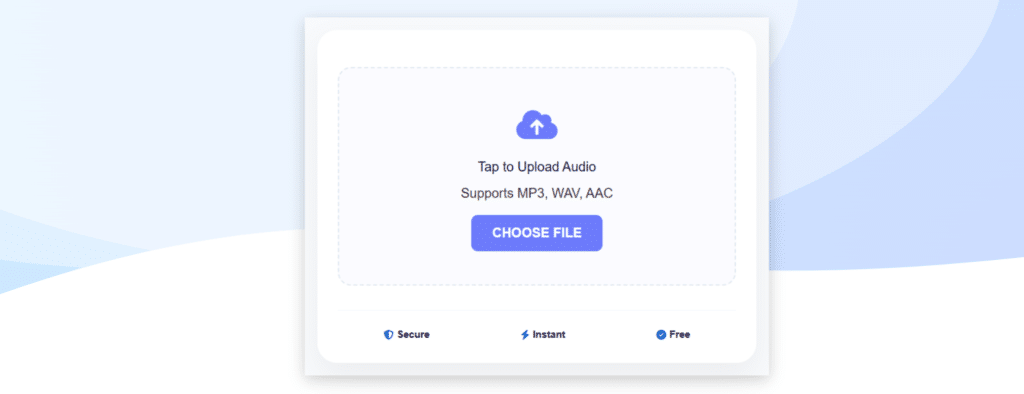
Open the EveryToolfy Audio Cutter in your browser and upload your audio file with ease. Simply click the “Choose File” button or drag and drop your preferred audio track from your computer, laptop, or smartphone into the upload area to get started instantly.
Step 2: Select the Segment to Trim
Once your audio is uploaded, a visual waveform of the sound will appear on the screen, making it easy to identify the exact section you want to trim.
Using the Sliders: Drag the left marker to choose the starting point and the right marker to set the ending point of your audio clip.
Using Manual Time Entry: For greater accuracy, enter the exact start and end times in the hours:minutes:seconds fields.
You can also click the Play button anytime to preview the selected segment and ensure the audio sounds perfect before processing.
Step 3: Cut and Download
Choose your preferred output format (such as MP3 for maximum compatibility). Then click the “Cut Audio” button to start processing your file instantly. Once the editing is complete, simply click “Download” to save your edited audio file directly to your device.
Best Practices for Editing High-Quality Audio
To get the most out of your audio tracks, follow these professional editing tips:
- Always Keep a Backup: Never overwrite your original source file until you are fully satisfied with the final edited version. Keep the raw recording safe so you can re-edit it if needed.
- Cut During Natural Pauses: When editing speech or dialogue, always make cuts during natural pauses or breaths. Avoid cutting mid-word or mid-syllable, as it can create an unnatural and jarring listening experience.
- Check Bitrate Settings: To maintain high audio quality, ensure your exported file matches the original bitrate (for example, 320 kbps for high-quality MP3 files).
- Use Headphones for Accurate Review: Built-in laptop or phone speakers may hide background noise or small imperfections. Always use quality headphones to carefully review your edits before finalizing the audio.
Ans: No. EveryToolfy uses advanced audio processing technology that trims your audio without unnecessary re-encoding. This ensures your downloaded file retains its original bitrate, clarity, and sound quality.
Ans: Absolutely. We prioritize your privacy and data security. All file transfers are protected with encrypted connections, and uploaded files are automatically deleted from our servers immediately after your session ends.
Ans: Yes. Our platform is fully mobile-friendly and works smoothly on all devices. You can easily upload, edit, and cut audio files on Safari (iPhone) or Chrome (Android) without installing any additional apps.
Ans: Our online audio cutter is designed to handle standard audio files, including music tracks, podcasts, and voice recordings. For the best performance, we recommend keeping file sizes within a reasonable range of up to 50–100MB.
Our tool uses a sophisticated algorithm based on the DIME method to deliver accurate, reliable, and precise financial calculations. Also explore our MP3 Converter and Video Compressor for more useful online tools.