
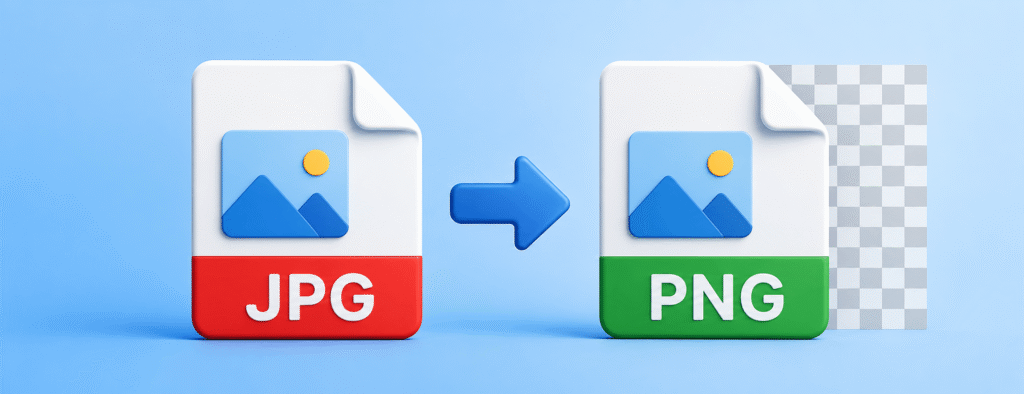
Converting JPG to PNG for Professional Results
In today’s modern digital landscape, images are the backbone of visual communication. Whether you are building a website, designing social media graphics, or preserving personal memories, the image format you choose can significantly impact quality and performance. At Everytoolfy, we offer a seamless JPG to PNG converter that ensures high-fidelity image conversion while preserving the advanced benefits of the PNG format.
1. Understanding the Fundamentals: What is JPG and PNG?
Before diving into the conversion process, it is essential to understand the underlying technology behind both formats.
The JPG Format (Lossy Compression)
JPG (or JPEG – Joint Photographic Experts Group) is an image format mainly designed for photographs. It uses lossy compression, which means some image data is removed to reduce file size. This makes JPG files ideal for storage and web use; however, every time you edit and re-save a JPG, its quality slightly decreases, which can result in visible artifacts or blurriness.
The PNG Format (Lossless Compression)
PNG (Portable Network Graphics) was developed as an enhanced alternative to GIF. It uses lossless compression, which means all original image data is preserved without any quality loss. Most importantly, PNG supports alpha transparency, enabling images with fully transparent backgrounds—something that is not possible with JPG format.
2. Why Do You Need to Convert JPG to PNG?
Converting a JPG to a PNG is not just about changing the file extension; it is about unlocking features that a standard JPG format cannot offer.
A. Support for Transparency
If you have a logo or graphic and want the background to be transparent so it blends seamlessly with any website color, you should use a PNG format. Converting a JPG to PNG is the first step in creating a high-quality transparent asset.
B. Preventing Generation Loss
If you are a graphic designer and need to edit an image multiple times, saving it in PNG format helps preserve its quality with every edit. Unlike JPG, which can lose quality and become degraded over repeated saves, PNG maintains crisp and high-quality visuals even after multiple modifications.
C. Text and Line Art Clarity
JPG compression often produces a “smudging” effect around sharp edges such as text and icons. In contrast, PNG preserves high-contrast edges and solid colors much more effectively, making it the preferred format for screenshots and digital illustrations.
3. How to Use Everytoolfy’s JPG to PNG Tool
We have designed our tool to be the fastest and most user-friendly image converter on the web. Here’s how you can use it:
- 1. Select Your File: Click the “Upload” button or simply drag and drop your JPG images into the designated area.
- 2. Instant Processing: Our advanced algorithm instantly reads your JPG pixel data and converts it into a high-quality, lossless PNG format.
- 3. Download and Save: Once the conversion is complete, click “Download” to save your new PNG file directly to your device in high quality.
4. Technical Comparison: JPG vs. PNG at a Glance
Feature Comparison: JPG (JPEG) vs PNG
| Feature | JPG (JPEG) | PNG |
|---|---|---|
| Compression Type | Lossy compression | Lossless compression |
| Transparency Support | Not supported | Fully supported |
| Best For | Real-life photographs and complex images | Logos, text-based graphics, and icons |
| File Size | Smaller and more lightweight | Larger in size |
| Image Quality | Gradually decreases with each save | Remains constant without quality loss |
This version is more fluent, structured, and optimized for SEO readability.
5. SEO and Web Performance: Why Image Choice Matters
For website owners, selecting the right image format is a crucial part of Search Engine Optimization (SEO).
- User Experience (UX): High-quality PNG images enhance the professional appearance of your website, while low-quality or blurry JPG images can negatively impact brand trust and credibility.
- Page Load Speed: Although PNG files offer superior quality, they are often larger in size. It is recommended to use an image converter along with an image compressor to optimize file size and improve loading performance.
- Image Indexing: Search engine bots, including Google’s crawlers, analyze image metadata. Using descriptive file names such as company-logo.png instead of IMG123.jpg improves visibility and increases the chances of ranking in Google Image Search.
6. Common Use Cases for JPG to PNG Conversion
Web Design and Development
Developers often convert JPG assets into PNG format to ensure that UI elements such as buttons, icons, and graphics remain sharp and crisp, especially on high-resolution Retina displays. PNG’s lossless quality helps maintain visual clarity across different screen sizes.
Digital Marketing
When designing banner ads and promotional creatives, marketers require clear and readable text. Since PNG uses lossless compression, it preserves text sharpness without distortion, making it a preferred industry standard for high-quality digital advertisements.
Printing Services
Although CMYK JPG files are commonly used in printing, many modern digital printing systems prefer PNG due to its lossless format. This ensures that colors remain accurate and visuals do not suffer from pixelation or bleeding during the printing process.
7. Security and Privacy at Everytoolfy
One of the biggest concerns with online converters is data privacy. At Everytoolfy, we prioritize your security:
- No Server Storage: Your images are processed securely and are deleted immediately after conversion.
- No Watermarks: Your content remains fully yours—we never add watermarks to any converted files.
- SSL Encryption: All data transfers are fully protected with secure SSL encryption to ensure your privacy.
Our tool uses a sophisticated algorithm based on the DIME method to deliver accurate, reliable, and precise financial calculations. Also explore our PNG to JPG and Image Compressor for more useful online tools.