
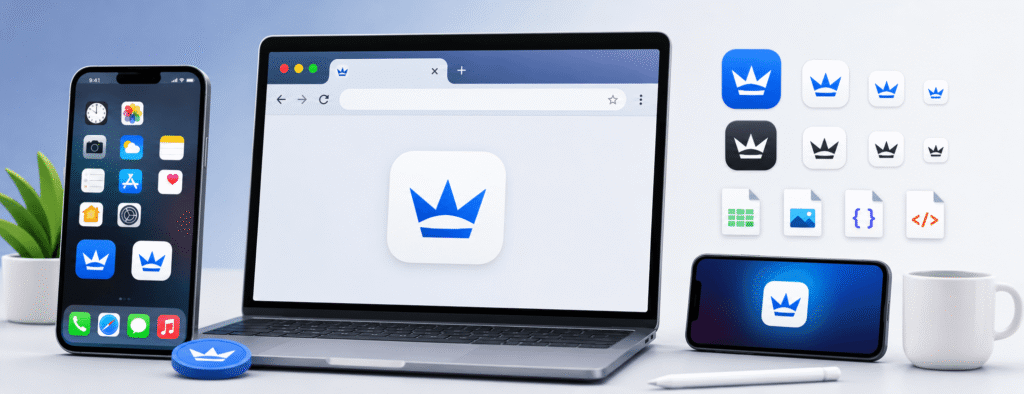
The Ultimate Professional Guide to Favicons
In today’s digital landscape, branding is no longer limited to large banners or catchy slogans. Instead, it is shaped by small yet powerful micro-details that build trust, recognition, and a professional online presence. One of the most important—yet often overlooked—elements of modern web design is the favicon. Short for “favorite icon,” this small graphic plays a significant role in how users identify, remember, and interact with your website.
For web developers, business owners, and digital marketers, understanding both the technical aspects and psychological impact of favicons is essential. This comprehensive guide covers everything from the history and evolution of favicons to their technical requirements for 2026 and beyond, helping you optimize your website for better branding and user experience.
1. What Exactly is a Favicon?
A favicon is a small icon associated with a specific website or web page. It is commonly displayed in several key areas to enhance user recognition and navigation:
- Browser Tabs: Appears next to the page title for quick identification.
- Search Engine Results Pages (SERPs): Google displays favicons next to URLs on both mobile and desktop search results.
- Browser History: Makes it easier for users to locate previously visited pages.
- Desktop and Mobile Shortcuts: Appears when a user adds a website to their home screen.
Originally introduced by Microsoft in 1999 with Internet Explorer 5, the favicon was a simple .ico file placed in a website’s root directory. Today, it has evolved into a modern multi-format and multi-size system designed to support a wide range of devices, including high-resolution displays, tablets, smartphones, and even smartwatches.
2. Why Does Your Site Need a High-Quality Favicon?
Many webmasters receive “Low Value Content” warnings from Google AdSense because their pages lack depth, originality, and user-focused information. Adding a functional favicon to your website—and clearly explaining its importance—helps create a better user experience while adding meaningful value to your content. This not only improves your site’s professionalism and brand identity but also increases the overall quality and usefulness of your pages for both users and search engines.
A. Instant Brand Recognition
The average internet user keeps between 5 and 20 tabs open at any given time. As more tabs are added, page titles often disappear, leaving only the favicon visible. If your website doesn’t have a favicon, browsers display a generic “globe” or “blank document” icon instead, making your site harder to recognize among multiple open tabs.
B. Building Trust and Authority
A website without a favicon often appears unfinished or “under construction,” which can negatively impact user trust and brand credibility. From both a security and user experience perspective, visitors are far more likely to share personal information or make purchases on a website that looks polished and professional. A custom favicon signals that your business is legitimate, trustworthy, and actively maintained, helping to build confidence among users and strengthen your overall online presence.
C. Improved Mobile UX
On mobile devices, favicons are often used as app icons when users bookmark a website to their home screen. If your favicon is missing, blurry, or low-resolution, the shortcut can appear unprofessional or broken. A high-quality favicon improves brand visibility, enhances user trust, and helps reduce bounce rates by creating a better mobile browsing experience.
3. The Technical Evolution: ICO vs. PNG vs. SVG
When using the EveryToolfy Favicon Generator, it is important to understand which favicon format best suits your website’s needs. Choosing the right format ensures better compatibility, faster loading times, and a professional appearance across all browsers and devices.
The .ICO Format
The legacy favicon format offers a unique advantage: a single .ico file can store multiple icon sizes, including 16×16, 32×32, and 48×48 pixels, within one file. This makes it highly compatible and a reliable “fail-safe” option for older browsers and legacy systems.
The .PNG Format
PNG is the modern standard for high-quality favicons. It supports transparency and millions of colors, making it the perfect choice for detailed brand logos and non-square designs. Its sharp image quality and wide browser compatibility help create a professional and visually appealing user experience.
The .SVG Format
Scalable Vector Graphics (SVG) is the future of modern favicons. Because SVG files are vector-based, they remain extremely lightweight and can scale infinitely without losing image quality. Unlike traditional favicon formats, SVG also supports Dark Mode through CSS media queries embedded directly within the SVG code, ensuring a seamless user experience across different themes and devices.
4. Size Requirements for Modern Devices
To ensure your website looks professional across all devices and platforms, using multiple favicon sizes is essential. Each size serves a specific purpose and helps your brand appear sharp, clear, and recognizable everywhere users interact with your site.
| Device / Platform | Recommended Size | Purpose |
|---|---|---|
| Standard Browsers | 16×16 px | Used as the basic browser tab favicon |
| Desktop Shortcuts & Taskbars | 32×32 px | Ideal for desktop shortcuts and taskbar icons |
| Google Search Results | 48×48 px | Recommended size for Google Search (SERP) favicons |
| iPhone & iPad (Retina Displays) | 180×180 px | Used as the Apple Touch Icon for iOS devices |
| Android Chrome | 192×192 px | Optimized for Android home screen icons |
Using the correct favicon dimensions improves brand consistency, enhances user experience, and ensures your website looks polished across browsers, search results, smartphones, and desktop devices.
5. Design Principles for 16x16 Pixels
Designing for such a small space is a unique challenge. Follow these best practices to ensure your favicon remains clear and visually effective:
- Avoid Complexity: Do not try to include your full company name. Instead, use a single letter or a simplified version of your logo.
- Strong Color Contrast: Choose colors that stand out clearly against both light and dark browser themes.
- No Fine Details: Thin lines and intricate patterns may disappear at 16px. Use bold, simple shapes for better visibility.
- Use Transparency: A transparent background helps your favicon blend naturally with the browser interface.
6. How to Implement Your Favicon (HTML Code)
After using our generator to create your files, you need to properly link them in the <head> section of your website. Below is the standard implementation code for adding favicons and related icons:
HTML:
<link rel="icon" type="image/x-icon" href="/favicon.ico"><link rel="icon" type="image/png" sizes="32x32" href="/favicon-32x32.png"><link rel="icon" type="image/png" sizes="16x16" href="/favicon-16x16.png"><link rel="apple-touch-icon" sizes="180x180" href="/apple-touch-icon.png"><link rel="manifest" href="/site.webmanifest">This setup ensures proper favicon support across different browsers, devices, and platforms, improving both branding consistency and user experience.
6. How to Implement Your Favicon (HTML Code)
While a favicon is not a direct ranking factor like keywords or backlinks, it still plays an important indirect role in SEO performance.
A recognizable favicon can improve your click-through rate (CTR) in search results because users are more likely to click on visually familiar and trustworthy icons. It also helps reduce bounce rates by making your website easier to identify in browser tabs, which improves overall user experience and session engagement. Additionally, Google has indicated that it prefers websites with clear and representative favicons in search snippets, supporting better visibility and presentation in search results.
8. Why Everytoolfy is the Best Choice for Developers
Our Favicon Generator is designed to eliminate the complexity of web asset creation. Instead of manually resizing images in tools like Photoshop, our system streamlines the entire process:
- Automatically crops your image into a perfect square for consistent favicon design.
- Generates 10+ required favicon sizes in a single click for all modern devices and browsers.
- Creates a ready-to-use site.webmanifest file for full Progressive Web App (PWA) compatibility.
- Optimizes file size to ensure fast loading and improved website performance without affecting page speed.
Our tool uses a sophisticated algorithm based on the DIME method to deliver accurate, reliable, and precise financial calculations. Also explore our Resize Image and Image Crop for more useful online tools.